Why Your Google Ads Aren’t Converting: The Hidden WooCommerce Glitches Draining Your Budget
 By Ian Fraser
Technical Lead & Founder, 89 Digital Over 25 years experience building websites and applications, a full stack Developer with a Graphic Design background. Ian works with businesses to build their website foundations fit to grow.
By Ian Fraser
Technical Lead & Founder, 89 Digital Over 25 years experience building websites and applications, a full stack Developer with a Graphic Design background. Ian works with businesses to build their website foundations fit to grow.
You’re spending money on Google Ads to bring targeted buyers to your WooCommerce store. The traffic is arriving, the clicks are showing in your dashboard, but the sales simply aren’t matching the spend.
When ads underperform, the first reaction is usually to tweak the ad copy or change the target keywords. But more often than not, the issue isn’t your marketing — it’s hidden technical friction on your website.
If your WooCommerce store has subtle plugin errors, slow load times, or tracking disconnects, you’re essentially pouring paid ad traffic into a leaking bucket.
Here are four common WooCommerce issues that silently kill your Google Ads performance — and how fixing them restores your return on investment.
1. Slow landing pages inflate your cost-per-click
Google doesn’t just evaluate your ad copy when deciding where to rank your business; it evaluates what happens after someone clicks.
If your WooCommerce product pages take more than a couple of seconds to load — often caused by bloated plugins, heavy themes, or unoptimised images — two expensive problems occur immediately:
- Mobile visitors bounce: the majority of Google Ads traffic now arrives on mobile devices. If your page lags, shoppers tap back to the Google results before they ever see your product.
- Google charges you more: Google penalises slow landing pages with a lower Quality Score. That means you pay significantly more per click than a competitor bidding the same amount — for the exact same audience.
The fix: streamline your store setup, clean up heavy background scripts, and carry out dedicated WooCommerce speed optimisation so product pages load in a flash on mobile.
2. Micro-bugs and friction at checkout
A shopper clicked your Google Ad, liked your product, added it to their cart and proceeded to checkout. This is the most valuable visitor on your site.
If your checkout experience has friction — such as a slow-loading payment gateway (Stripe, Afterpay, Windcave), broken layout fields on mobile, or plugin conflicts that throw unexpected JavaScript errors — buyers abandon their order immediately.
Even a single-second delay or a layout bug during the payment step sends cart-abandonment rates soaring.
The fix: regularly report your checkout flow on real mobile devices, eliminate conflicting plugin scripts, and make sure payment gateways load without hesitation.
3. Broken conversion tracking means Google Ads is guessing
Modern Google Ads relies heavily on Smart Bidding to find the people most likely to buy from you. But those algorithms are only as smart as the data you feed them.
Because of modern browser privacy settings, ad-blockers and the limits of basic client-side tracking, standard setups can miss a meaningful share of actual store sales. If your WooCommerce store isn’t reporting every purchase back to Google Ads accurately:
- Google’s algorithms assume your ads aren’t performing well.
- The system starts targeting the wrong type of visitor.
- You waste ad budget chasing cheap clicks that never buy.
The fix: implement reliable server-to-server tracking (the Google Conversion API / CAPI) so every purchase is reported back to Google Ads, giving the platform the exact data it needs to find high-value buyers.
4. Plugin bloat causes glitches during sales spikes
When a Google Ads campaign successfully drives a sudden surge of traffic to your store, it puts immediate demand on your site’s database.
Stores running dozens of unnecessary or poorly coded plugins often choke under that load. Pages slow down, cart totals fail to calculate, or elements freeze. The paid traffic you fought to win is wasted because the store’s architecture couldn’t handle the influx.
The fix: carry out a comprehensive plugin report to strip away unnecessary bloat, replace fragile page-builder tools with lightweight foundations, and make sure your site is built to handle real-world traffic spikes.
Stop burning ad budget on a leaky store
Before you increase your Google Ads budget or blame your marketing strategy, make sure your website isn’t actively working against you. Fixing foundational speed, checkout and tracking errors is often the single fastest way to turn unprofitable ad spend into predictable store revenue. It’s the same foundations-first approach we bring to ongoing WooCommerce support.
See where your store is losing sales.
Running Google Ads to your WooCommerce store but not seeing the returns? We’ll review your site speed, checkout flow and ad-tracking to pinpoint where your sales are leaking.
Get your free store check →Get the next Insight
Keep up to date with the latest thinking from 89 Digital. From website performance and AI search to tips for growing your business online.
Keep reading

WooCommerce vs Shopify: 10 Reasons Growing Stores Choose to Own, Not Rent
If you’re starting an online store, or wondering whether your current one still suits you, two names come up first: WooCommerce and Shopify. Both are capable…
Read article →
10 signs your WooCommerce store is losing sales
Most WooCommerce stores don’t fail all at once. They leak: a slower page here, a lost order email there, a shipping rate that quietly costs you…
Read article →
The compound effect: how a Growth Plan builds momentum month by month
Month one looks quiet. Month six looks very different. Here's how a Growth retainer creates compounding returns over time.
Read article →
Your Website Is Getting Attacked Right Now (And You Don’t Even Know It)
Most business owners assume that a cyber attack is loud and obvious. They picture a defaced homepage, a sudden black screen, or a site crashing entirely.…
Read article →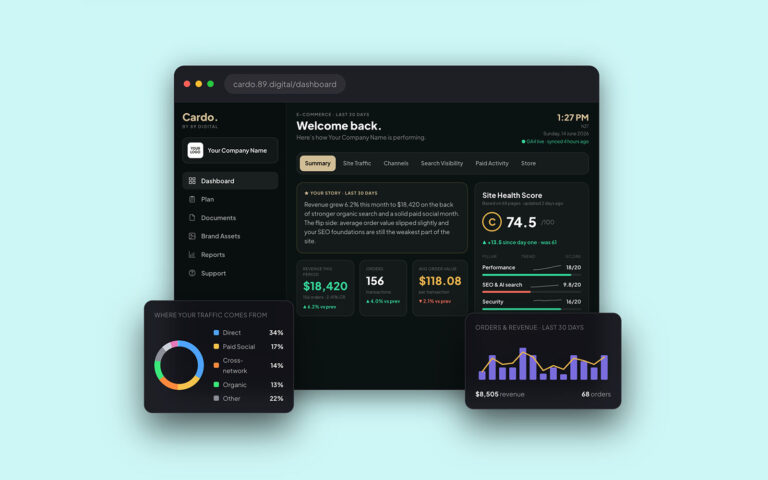
From GA4 to AI Search: How Cardo Simplifies Your Digital Strategy
Building and growing a digital presence should feel exciting—not like a daily chore. Yet for most business owners and marketing leaders, keeping tabs on performance means…
Read article →
Why Your Website Isn’t Ranking on Google (And How to Fix It)
Most small business owners know they should be doing SEO but don't know where to start. Here's what actually moves the needle when you're short on…
Read article →
Is your page builder costing your business?
Page builders are convenient, but a bloated website costs you in Google rankings, ad spend and lost conversions every single day.
Read article →