
Your Website Is Getting Attacked Right Now (And You Don’t Even Know It)
 By Ian Fraser
Technical Lead & Founder, 89 Digital Over 25 years experience building websites and applications, a full stack Developer with a Graphic Design background. Ian works with businesses to build their website foundations fit to grow.
By Ian Fraser
Technical Lead & Founder, 89 Digital Over 25 years experience building websites and applications, a full stack Developer with a Graphic Design background. Ian works with businesses to build their website foundations fit to grow.
Most business owners assume that a cyber attack is loud and obvious.
They picture a defaced homepage, a sudden black screen, or a site crashing entirely. If their website looks completely normal when they type in their domain name, they assume everything is fine behind the scenes.
In reality, the most dangerous attacks on WordPress and WooCommerce sites are completely silent.
Right now, as you read this, automated bots, brute-force scripts, and malicious crawlers are hitting your server. They aren’t trying to knock your site offline—they are silently probing for exposed credentials, scanning database configuration files, and attempting to slip scripts into checkout pages.
Worse yet, if your business relies on a standard WordPress security plugin to handle these invisible attacks, that plugin might be silently destroying your site speed, lowering your Google rankings, and costing you sales.
Here is what is actually happening behind the scenes of your website, why traditional security plugins miss the mark, and how to protect your store without sacrificing performance.
The Silent Threat: What Bots Are Doing Behind the Scenes
To understand how these invisible attacks work, look at what automated scripts attempt against a standard WordPress or WooCommerce site in a typical 30-day window:
- Thousands of Brute-Force Logins: Automated scripts hammering away at
/xmlrpc.phpand/wp-login.php, testing thousands of password combinations every hour. - Probing for Credentials: Malicious crawlers scanning for exposed environment files (like
/.envor/.git/config) to steal database keys, API credentials, or admin access. - Checkout & Form Injection: Scanners probing WooCommerce checkout fields and forms to slip in payment-skimming code or database commands.
- Global Botnets: Coordinated traffic spikes originating from automated bot networks spanning India, Brazil, Pakistan, and Southeast Asia.
None of this changes how your homepage looks to a casual visitor. But every single one of these automated attempts eats away at your business in the dark.
The Hidden Flaw in Traditional Security Plugins
When business owners realize their site needs protection, the standard response is to install a heavy security plugin like Wordfence or Sucuri.
While these plugins do block known bad actors, they operate from inside WordPress itself.
Imagine owning a retail store. Relying on a security plugin is like placing a security guard in the back room of your shop. When a vandal tries to break your front window, the guard doesn’t stop them at the street. Instead, the vandal has to open your front door, walk past your displays, and enter your shop before the guard steps in to check their ID.
In technical terms:
- A malicious bot requests a file or attempts a brute-force login.
- Your web server has to boot up PHP, start the entire WordPress core engine, connect to your database, and load your theme.
- Only after all that heavy processing is done does your security plugin step in to reject the bot.
When hundreds of automated bots hit your site throughout the day, your server wastes massive CPU power processing fake traffic. Your real human customers experience lagging page loads, slow WooCommerce checkouts, and a sluggish user experience.
Server-Level Protection: Stopping Threats at the Perimeter
True web security shouldn’t rely on the very application layer that is being targeted.
That is why we built Detect & Protect—our server-level security shield integrated directly into our containerized hosting environment. Instead of running inside WordPress as a bloated plugin, protection runs right at the edge of your server layer.
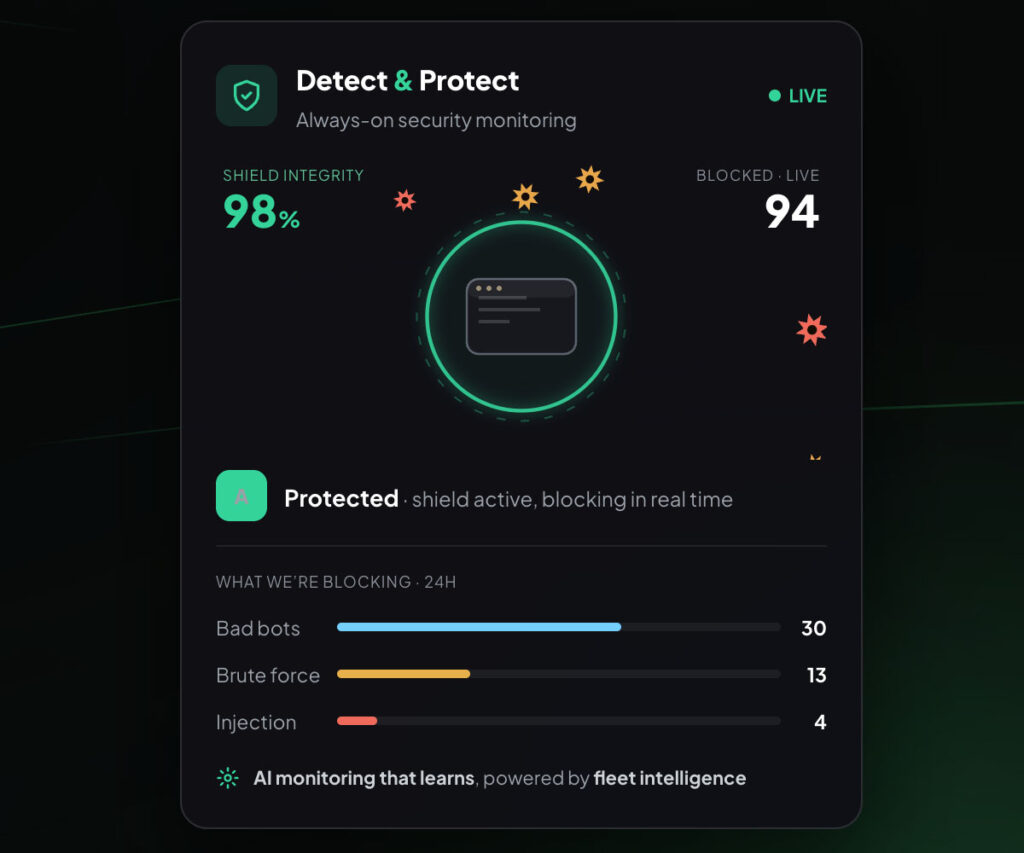
When a bad bot tries to guess passwords or scan your site, our container agent drops the connection instantly. WordPress never even has to boot up, saving 100% of your server’s power for actual customers.
Fleet Intelligence: Collective Defense That Learns
When you rely on a standalone plugin, your website evaluates threats in total isolation.
With Detect & Protect, every website protected by 89 Digital shares a collective shield called Fleet Intelligence:
The moment a novel attack vector or malicious IP address probes any single site on our network, our server agent instantly hardens the defense across every other site we manage.
An attack on one site instantly immunizes yours—creating a network defense that gets stronger every single day without you lifting a finger.
Bringing the Dark into the Light with Cardo
You shouldn’t need a degree in cybersecurity or hours spent reading line-item log files to know if your website is safe.
Inside Cardo—our AI-powered site intelligence platform—we turn thousands of complex server events into a simple, plain-English dashboard:
- Shield Status vs. Threat Level: Easily see how hard your site is being probed (Threat Level) alongside live confirmation that your perimeter defense is holding (100% Shield Status).
- Six-Layer Vector Monitoring: Live status across all major attack vectors—from brute-force logins and credential scans to injection attempts and checkout tampering.
- Geographic Threat Tracking: See where attack traffic originates globally alongside 24-hour block counts.
- Zero Maintenance: No security plugin updates to break your site layout, no captchas annoying paying buyers, and zero code bloat.
Total Peace of Mind Without the Speed Penalty
You shouldn’t have to sacrifice sub-second loading speeds just to keep your WordPress or WooCommerce site secure.
By removing heavy application-layer plugins and moving threat protection directly to the server, you protect your revenue, safeguard your customer data, and keep your site running at peak performance.
See exactly where you stand.
We’ll run your site through our Site Report engine and show you your biggest quick-wins — and AI-search gains. No obligation, just a clear picture of what’s possible.
Get your free health check →Get the next Insight
Practical, no-fluff thinking on web performance, AI search and growing a business online — straight to your inbox. No spam, unsubscribe anytime.