
10 signs your WooCommerce store is losing sales
 By Ian Fraser
Technical Lead & Founder, 89 Digital Over 25 years experience building websites and applications, a full stack Developer with a Graphic Design background. Ian works with businesses to build their website foundations fit to grow.
By Ian Fraser
Technical Lead & Founder, 89 Digital Over 25 years experience building websites and applications, a full stack Developer with a Graphic Design background. Ian works with businesses to build their website foundations fit to grow.
Most WooCommerce stores don’t fail all at once. They leak: a slower page here, a lost order email there, a shipping rate that quietly costs you money on every rural delivery. None of it looks urgent, so it rarely gets fixed.
We build and look after WooCommerce stores for New Zealand businesses, from busy retail sites to private merchandise stores for corporate clients. The same ten problems come up again and again.
For each one, you’ll find what you’ll notice, what’s usually behind it, and a quick check you can do yourself today.
1. Your WooCommerce store is slow, especially on mobile
What you’ll notice: product pages take a few seconds to appear, filters lag, and the admin area crawls when you’re processing orders.
What’s usually behind it: years of order and session data bloating the database, too many heavy plugins loading on every page, oversized images, or hosting that was fine at launch but hasn’t kept up. A slow store also tends to slip in Google, because page speed feeds into search rankings.
Quick check: run one of your product pages through Google’s free PageSpeed Insights tool and look at the mobile result. Then open your store on your phone, away from Wi-Fi, and time how long it takes to get from a product page to checkout.
2. You’re scared to update WooCommerce and your plugins
What you’ll notice: update notices pile up in your dashboard because the last time someone updated a plugin, something broke.
What’s usually behind it: WordPress, WooCommerce, your theme and every plugin update on their own schedules. Without a staging copy of the store to test on first, every update is a gamble on your live checkout. So updates get skipped, and outdated plugins are one of the most common ways stores get hacked.
Quick check: go to Dashboard → Updates and count what’s waiting. Then ask yourself two questions: do you have a staging site, and when did anyone last test that your backups actually restore?
3. WooCommerce checkout isn’t working, or carts are emptying
What you’ll notice: the odd email or phone call saying the payment failed, the checkout page spun forever, or items disappeared from the cart. Most people who hit these problems don’t tell you. They just leave.
What’s usually behind it: two plugins clashing on the checkout page, a payment gateway plugin that’s out of date, or caching set up to speed the site up that also caches the cart and checkout. Those pages have to stay live for each shopper, or carts empty and the wrong items appear.
Quick check: place a real order on your phone as a guest, using a different payment method from usual. Then look in WooCommerce → Status → Logs for any “fatal error” entries from the last few weeks.
4. WooCommerce order emails are going to spam, or not sending
What you’ll notice: customers asking “did my order go through?”, or new-order notifications that you only find days later in your junk folder.
What’s usually behind it: by default, WordPress sends email straight from the web server. Without the right domain settings behind it, Gmail and Outlook treat those emails as suspicious. Your store looks unreliable to the customer, even though the order went through fine.
Quick check: place a test order using a Gmail address and see whether the confirmation lands in the inbox, the Promotions tab or spam.
5. Fake orders and bot traffic that never buys
What you’ll notice: a burst of small or failed orders with random names and email addresses, or a spike in visitors in your analytics that doesn’t turn into a single sale.
What’s usually behind it: bots. Some use your checkout to test stolen credit card numbers, which can get your account flagged by your payment provider. Others hammer your login page or flood the store with fake traffic until real customers can’t get through. We’ve seen a flood like this take a busy NZ store offline until it was blocked at the server.
Quick check: open WooCommerce → Orders and look for clusters of failed orders placed minutes apart. Then compare your busiest traffic days in Google Analytics with your order numbers for the same days.
6. Your NZ Post shipping costs are losing you sales, or margin
What you’ll notice: shoppers get as far as checkout, see the shipping cost and leave. Or the opposite: sales look fine, but you’re quietly paying the difference on rural, heavy or South Island deliveries.
What’s usually behind it: shipping is one of the fiddliest parts of any NZ store. Flat rates rarely match what NZ Post actually charges. Products are missing weights and sizes. There are no rural or island zones. Or a live-rates plugin stopped working after an update, and the store has been falling back to a default rate ever since. A surprise shipping cost at checkout is one of the most common reasons carts are abandoned.
Quick check: add your heaviest product to the cart, enter a rural address, and compare the shipping cost to what NZ Post would charge you to send it. Then try a light item to a city address. If either feels wrong to you, it feels wrong to your customers too.
7. WooCommerce sales don’t match Google Analytics
What you’ll notice: WooCommerce says one number, Google Analytics says another, and Google Ads or Meta report something different again. You can’t tell which ads are actually paying off.
What’s usually behind it: tracking that was set up once and never checked again. A theme change, a new checkout plugin or a cookie banner can silently stop purchases being recorded. Your ad platforms then optimise towards the wrong people, and you keep paying for it.
Quick check: compare last month’s order count in WooCommerce with the purchases recorded in Google Analytics for the same month. A small gap is normal. A big one means your tracking needs attention.
8. You’re retyping orders into Xero, or overselling stock
What you’ll notice: someone spends part of every day copying orders into Xero, creating NZ Post labels by hand, or updating stock levels after sales in your physical shop or at a market. Every so often you sell something you don’t have.
What’s usually behind it: your store isn’t properly connected to the rest of your business. WooCommerce can pass orders, invoices and stock levels to your accounting, shipping and point-of-sale systems automatically, but those connections need setting up properly and watching when they break.
Quick check: add up how many minutes a week go on copying order details from one system to another. That’s the time a working integration gives back.
9. WooCommerce search isn’t finding your products
What you’ll notice: customers email to ask whether you stock something you clearly do, or your site search returns nothing for obvious searches.
What’s usually behind it: WooCommerce’s built-in search is basic. It looks for exact matches in product titles and descriptions, so a typo, a plural or a colour name can come back empty. On a store with lots of products, that’s lost sales every day.
Quick check: search your own store for a best seller with a small typo, a plural, and just its colour or size. Count how many return the product you’d expect.
10. When your store breaks, everyone blames someone else
What you’ll notice: your host says it’s a plugin, the plugin developer says it’s your theme, and the theme developer says it’s your host. Meanwhile, your checkout is down.
What’s usually behind it: no one owns the whole store. Plenty of NZ businesses are running stores built by a developer who has since moved on, with nobody left who knows how it was put together.
Quick check: if your checkout stopped working at 8pm tonight, who would you call? Do they have access to your site, and a recent backup to work from?
Recognise three or more?
One or two of these is normal for a busy store. Three or more usually means the problems are feeding each other: a slow store you’re nervous to update, with tracking you can’t trust and shipping that’s quietly costing you.
The good news is that all ten are fixable, and most don’t need a rebuild.
If you’d like a second pair of eyes, we’ll check your store for free. We look at your speed, checkout, plugins, security and shipping setup, then send you a clear report on what’s costing you sales and what it would take to fix.
Ian Fraser is the technical lead at 89 Digital, a WooCommerce consultancy in Auckland. He has been building for the web for more than 25 years.
See where your store is losing sales.
Running Google Ads to your WooCommerce store but not seeing the returns? We’ll review your speed, checkout flow and ad-tracking to pinpoint exactly where sales are leaking — no jargon, no pushy pitch.
Get your free store check →Get the next Insight
Practical, no-fluff thinking on web performance, AI search and growing a business online — straight to your inbox. No spam, unsubscribe anytime.
Keep reading

Why Your Google Ads Aren’t Converting: The Hidden WooCommerce Glitches Draining Your Budget
You’re spending money on Google Ads to bring targeted buyers to your WooCommerce store. The traffic is arriving, the clicks are showing in your dashboard, but…
Read article →
Your Website Is Getting Attacked Right Now (And You Don’t Even Know It)
Most business owners assume that a cyber attack is loud and obvious. They picture a defaced homepage, a sudden black screen, or a site crashing entirely.…
Read article →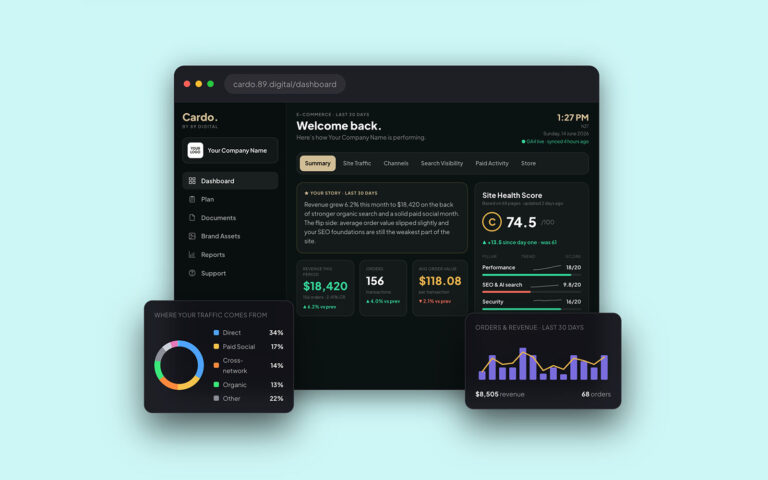
From GA4 to AI Search: How Cardo Simplifies Your Digital Strategy
Building and growing a digital presence should feel exciting—not like a daily chore. Yet for most business owners and marketing leaders, keeping tabs on performance means…
Read article →
Why Your Website Isn’t Ranking on Google (And How to Fix It)
Most small business owners know they should be doing SEO but don't know where to start. Here's what actually moves the needle when you're short on…
Read article →
Is your page builder costing your business?
Page builders are convenient, but a bloated website costs you in Google rankings, ad spend and lost conversions every single day.
Read article →
The compound effect: how a Growth Plan builds momentum month by month
Month one looks quiet. Month six looks very different. Here's how a Growth retainer creates compounding returns over time.
Read article →